
Marketing settings
Marketing settings apply to every marketing text: automatic messages and one-time sends. They don’t apply to appointment texts (confirmations, reminders, the plain thank-you).
To open them: Marketing > Messages, then Settings.
Open Marketing settings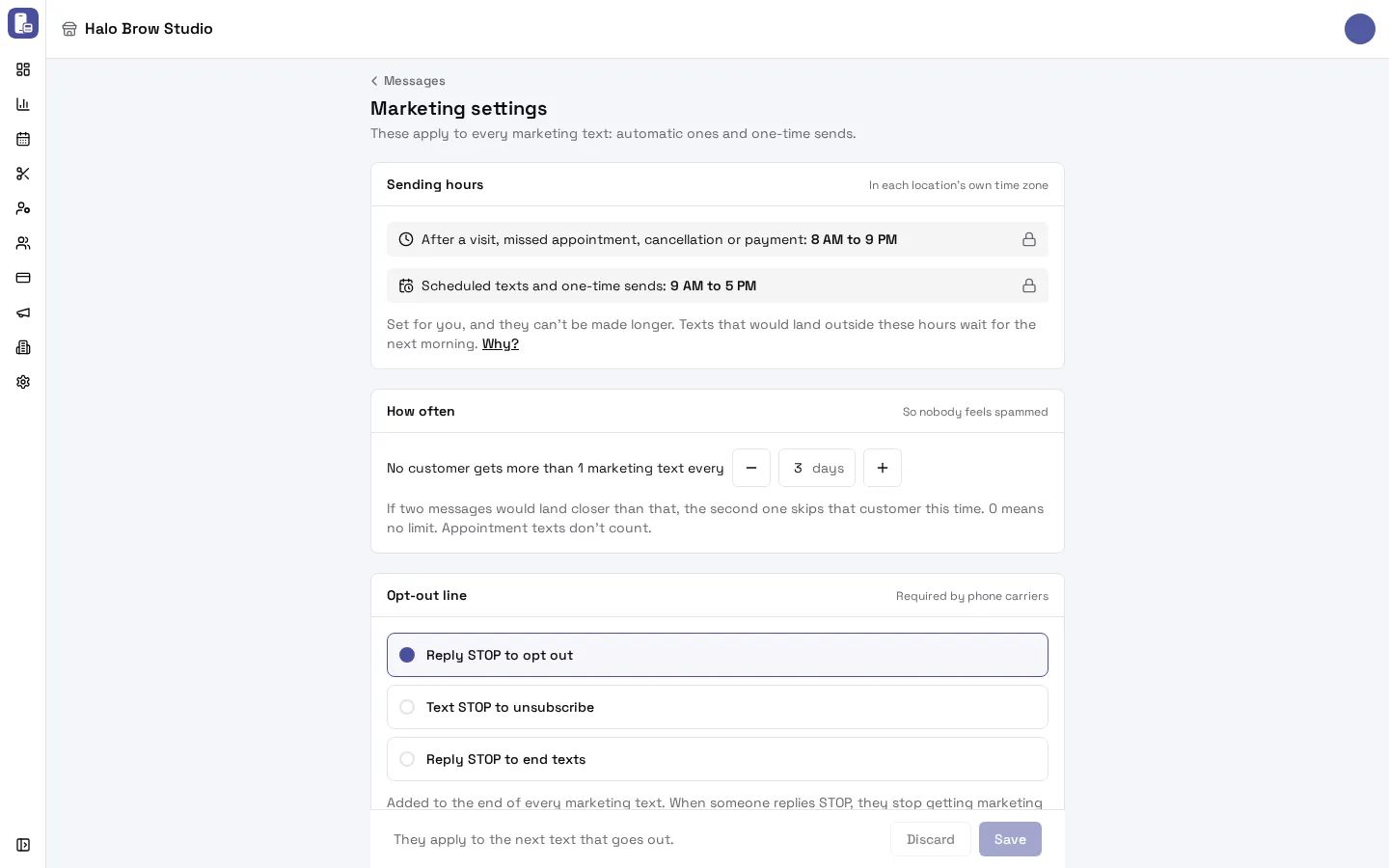
When do marketing texts go out?
Section titled “When do marketing texts go out?”Marketing texts only go out inside fixed sending hours, in each location’s own time zone:
| Kind of text | Sending hours |
|---|---|
| After a visit, missed appointment, cancellation or payment (for example Welcome new customers, Thank you + offer, Missed appointment, VIP reward) | 8 AM to 9 PM |
| Scheduled texts and one-time sends (for example Birthday greeting, Win back lapsed customers, Rebook reminder, Send a message) | 9 AM to 5 PM |
These hours are set for you to follow phone carrier and quiet-hours rules. They can’t be made longer.
- A text after a visit that would land outside 8 AM to 9 PM waits until 8 AM the next morning.
- A one-time send set to As soon as possible after 5 PM goes out at 9 AM the next morning.
- A scheduled text that can’t start in time is skipped, not moved to another day. A big send that’s still going at 5:01 PM stops.
For texts after a visit, the time is that visit’s location’s time. For scheduled texts and one-time sends, it’s the time at the location the client visits most.
How many marketing texts can one client get?
Section titled “How many marketing texts can one client get?”Under How often: “No customer gets more than 1 marketing text every 3 days.” Change the number of days with the − and + buttons, then press Save.
- If two marketing texts would land closer than that, the second one skips that client this time (a later message can still reach them).
- 0 means no limit.
- Appointment texts don’t count.
On top of this, each automatic message has its own limit (Each customer gets it…) on its page.
What is the opt-out line?
Section titled “What is the opt-out line?”Phone carriers require every marketing text to say how to stop them. Pick one of three lines under Opt-out line:
- Reply STOP to opt out (the default)
- Text STOP to unsubscribe
- Reply STOP to end texts
It’s added to the end of every marketing text that doesn’t already mention STOP. When a client replies STOP, they stop getting texts from you right away. See Text consent.
Can I start every text with my business name?
Section titled “Can I start every text with my business name?”Yes. Turn on Start each text with your business name under Business name at the start. Texts then start like “Halo Brow Studio: Hi Sarah, …”. It’s skipped when the text already names your business. It’s off by default.
How much do marketing texts cost?
Section titled “How much do marketing texts cost?”Each marketing text costs $0.012, however many characters it has. A long text can arrive in several parts on the phone, but it’s billed as one text. Test texts to your own phone are billed the same way.
Appointment texts (the booking confirmation, the reminders and the thank-you after the visit) are included in your plan: they aren’t billed per text. A one-time send shows the Estimated cost before you send.
Your texting number itself costs $2.50 a month. See Your texting number.
Where do I change my texting number?
Section titled “Where do I change my texting number?”At the bottom of Marketing settings, Texting number links to Settings > Texting number. See Your texting number.
Common questions
Section titled “Common questions”Why didn’t my birthday text go out at 8 PM?
Section titled “Why didn’t my birthday text go out at 8 PM?”Birthday texts are scheduled texts, so they can only go out between 9 AM and 5 PM. Pick a send time inside those hours on the message’s page.
A visit ended at 9:15 PM. When does the thank-you offer go out?
Section titled “A visit ended at 9:15 PM. When does the thank-you offer go out?”At 8 AM the next morning, the start of the 8 AM to 9 PM window.
Can I turn off the sending hours?
Section titled “Can I turn off the sending hours?”No. They’re fixed to keep your texts within carrier and quiet-hours rules.
Why did a client get no text when I sent a promotion today?
Section titled “Why did a client get no text when I sent a promotion today?”They probably got another marketing text in the last 3 days (or the number of days you set). Set How often to a lower number, or 0 for no limit.
Who can change these settings?
Section titled “Who can change these settings?”Members with access to Marketing. Changes apply to the next text that goes out.