
Get paid
Card payments run through a Fiserv (CardPointe) account and a card terminal at your front desk. Our support team sets the account up with you and connects it to FocalPOS. Just email us.
Cash needs no setup: you can take cash payments on the front desk tablet from day one.
Email [email protected]How do I start taking card payments?
Section titled “How do I start taking card payments?”-
Email us at [email protected]. Tell us your salon’s name, which locations need card payments, and whether you already have a Fiserv, CardPointe or Clover account.
-
We set up your account. We connect your Fiserv (CardPointe) account to FocalPOS and to your locations. You’ll see it in Settings > Payment accounts.
-
Add your card terminal. Go to Business > Devices, press + Add device, choose Card terminal, and pair it with the code shown. We can walk you through it. See Tablets & devices.
-
Take a test payment on your test booking, then find it under Transactions.
FocalPOS also works with Clover devices and Stripe card readers. Ask support if you already use one.
Where do I see my card payment setup?
Section titled “Where do I see my card payment setup?”Settings > Payment accounts (for the whole business) lists each card account, its status and which locations it pays into. You can rename an account and choose which locations use it, then press Save. Adding or removing an account is done by support.
| Status | What it means |
|---|---|
| Active | The account takes card payments. |
| Setup not finished | Fiserv is still setting up the account. Card payments start once it’s active. |
| Restricted | Fiserv has limited the account. Email support. |
| Disconnected | The account is no longer connected. Email support. |
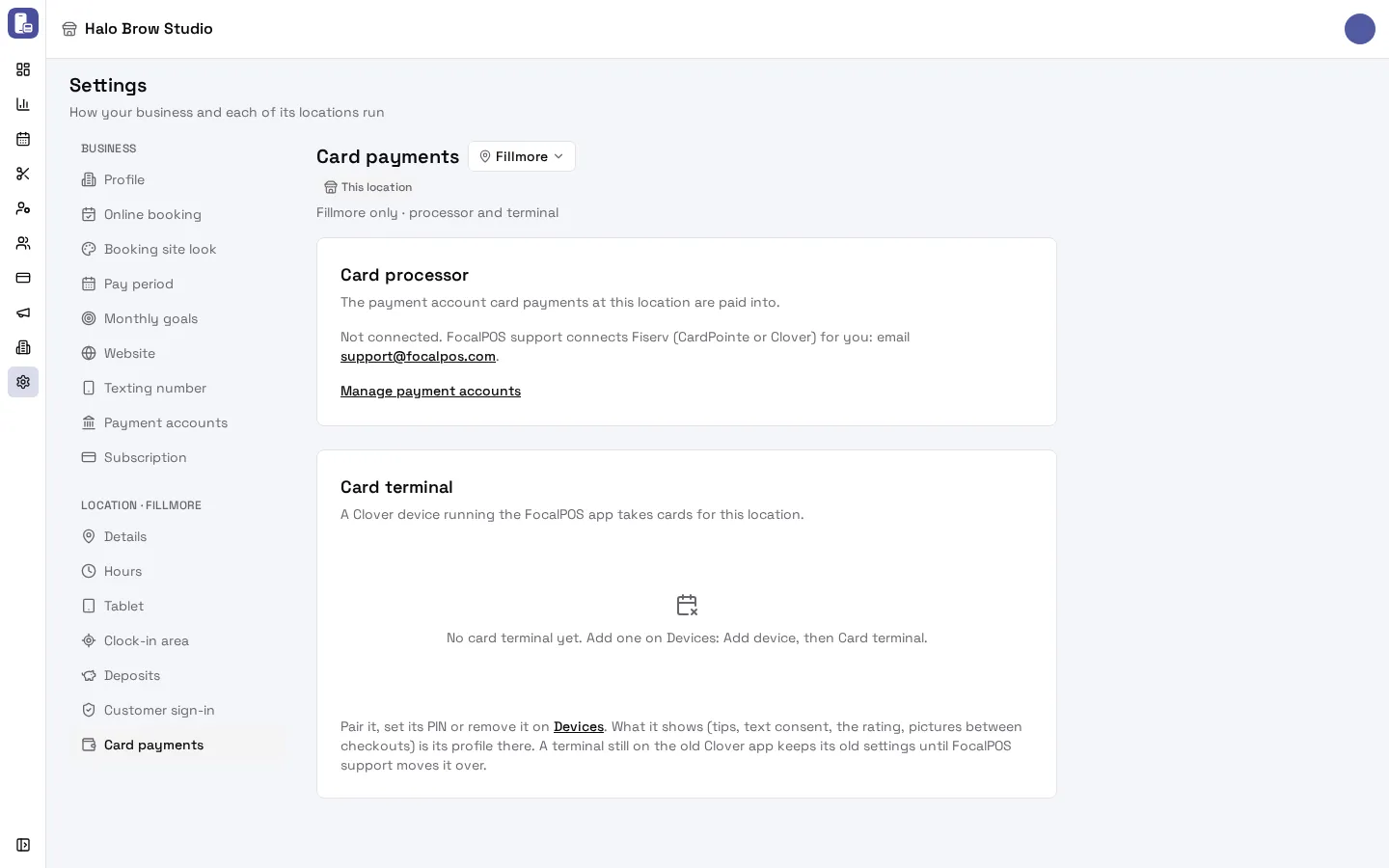
Settings > (your location) > Card payments shows, for that location, the Card processor (the account card payments are paid into) and the Card terminal paired there.
How do I set tips on the card terminal?
Section titled “How do I set tips on the card terminal?”What the terminal shows at checkout is its device profile: go to Business > Devices, open the Profiles tab and the card terminal profile. There you can turn tips on or off, choose up to 4 tip percentages, allow a custom tip, ask for a star rating, ask clients to agree to texts, and add pictures to show between checkouts. Press Save. See Tablets & devices.
What else does a card account give me?
Section titled “What else does a card account give me?”Once a location has an active Fiserv (CardPointe) account, you can also:
- take deposits when clients book online,
- save clients’ cards on file (with an employee allowed to approve it, see Add your team),
- read your monthly merchant statement, with fees and deposits to your bank, in Reports > Statements.
Troubleshooting
Section titled “Troubleshooting”“Not connected. FocalPOS support connects Fiserv (CardPointe or Clover) for you”
Section titled ““Not connected. FocalPOS support connects Fiserv (CardPointe or Clover) for you””That location has no card account yet. Email [email protected]. If you have an account on another location, an owner can tick this location for it in Settings > Payment accounts and press Save.
“The account can’t take payments yet”
Section titled ““The account can’t take payments yet””The account isn’t Active yet (setup not finished, restricted or disconnected). Card payments start once Fiserv finishes. Email support if it stays like this.
“No card terminal yet. Add one on Devices: Add device, then Card terminal.”
Section titled ““No card terminal yet. Add one on Devices: Add device, then Card terminal.””Add the terminal in Business > Devices > + Add device > Card terminal, then pair it on the terminal with the code shown.
The terminal doesn’t ask for a tip
Section titled “The terminal doesn’t ask for a tip”Open Business > Devices > Profiles, check tips are on in the card terminal’s profile, press Save, and check the terminal follows that profile on the Devices tab.
I can’t see Payment accounts in Settings
Section titled “I can’t see Payment accounts in Settings”Only the owner and members allowed to manage integrations see it. Ask the owner.
Where do I see my fees and when I’m paid?
Section titled “Where do I see my fees and when I’m paid?”In Reports > Statements, once your Fiserv account is active. Statements show fees, funding to your bank, and any chargebacks.
Is FocalPOS’s subscription the same as my card account?
Section titled “Is FocalPOS’s subscription the same as my card account?”No. Your card account takes payments from your clients. Your FocalPOS plan is what you pay us for the software: see Your plan and billing.