
Send a one-time text
यह पेज अभी हिंदी में उपलब्ध नहीं है, इसलिए अंग्रेज़ी में दिखाया गया है।
A one-time send is a single text to a group of clients: a promotion, news about a new service or hours, or a heads-up about open spots. It’s a marketing text, so only clients who said yes to marketing texts get it.
Send a message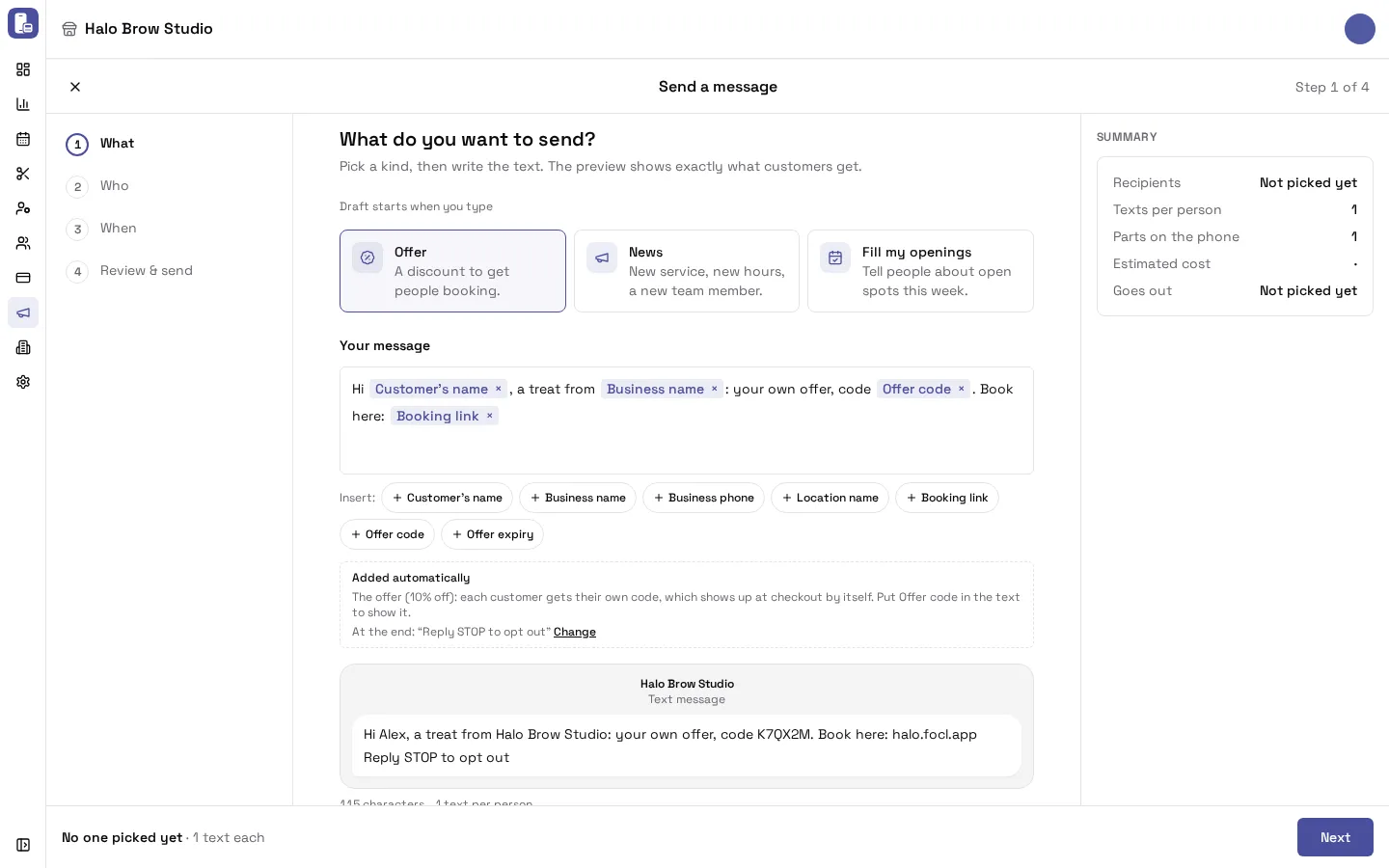
How do I send a text to a group of clients?
Section titled “How do I send a text to a group of clients?”-
Go to Marketing > Messages and press Send a message (top right), or pick a kind under Send a message on the page.
-
What: pick a kind:
- Offer: a discount to get people booking. Set The offer (% off, $ off, free item or buy X get Y) and Use it by, the last day it works.
- News: new service, new hours, a new team member.
- Fill my openings: tell people about open spots this week. Write the days and times yourself.
Write Your message, or press Use this on a suggestion. Add details with the Insert buttons (Customer’s name, Business name, Booking link, Offer code…). The phone preview shows exactly what clients get.
-
Who: pick a group (see below). Each group shows how many people can get texts.
-
When: As soon as possible, or Pick a day and time.
-
Review & send: check the summary, then press Send to N people (or Schedule for N people) and confirm.
A draft is saved as soon as you start typing, so you can leave and pick it up later from Your sends on the Messages page.
Who can I send it to?
Section titled “Who can I send it to?”- Regulars: 3 or more visits, the last one within 180 days.
- Haven’t visited in 60+ days.
- New this month: became a customer in the last 30 days.
- Booked a service before: pick the service, and optionally how lately.
- Everyone: all customers who can get texts.
Narrow it down adds more filters: number of visits, last visit, or a birthday in the next 30 days.
You can also start from Reports > Clients: press Message them on a group card (for example clients who are slipping away), and that group is already picked.
Why does it say “Now 9 people · 6 can get texts”?
Section titled “Why does it say “Now 9 people · 6 can get texts”?”The first number is everyone in the group. The second is how many of them said yes to marketing texts. Only those get the text, and that’s the number you pay for.
When does a one-time send go out?
Section titled “When does a one-time send go out?”- As soon as possible: within about 5 minutes, if it’s between 9 AM and 5 PM. Otherwise it goes out at 9 AM the next morning, and the page tells you so (“Goes out tomorrow at 9 AM”).
- Pick a day and time: any time between 9 AM and 5 PM.
The hours are each location’s own time. See Marketing settings.
How much does a one-time send cost?
Section titled “How much does a one-time send cost?”Each text costs $0.012, however long it is. The summary shows the Estimated cost, Texts per person and Parts on the phone. A long text arrives on the phone in several parts but is billed as one text. (Appointment texts, such as reminders, are included in your plan and aren’t billed per text.)
How do offers in a one-time send work?
Section titled “How do offers in a one-time send work?”Each client gets their own 6-character code. Put Offer code in the text so they see it. Staff apply it at checkout. The booking site has no code box. See Coupons and offers.
Can I cancel a scheduled send?
Section titled “Can I cancel a scheduled send?”Yes. In Marketing > Messages, find it under Your sends and use Cancel on it before it goes out. It goes back to a draft. A draft you don’t want can be deleted from its ⋯ menu.
How do I see how a send went?
Section titled “How do I see how a send went?”Your sends on the Messages page shows when each one went out and how many people it reached (for example “Sent Oct 13 · 128 people”). If you can see sales reports, it also shows what it brought in. To see each text and whether it was delivered, open Marketing > SMS.
Troubleshooting
Section titled “Troubleshooting”Why did fewer people get it than I picked?
Section titled “Why did fewer people get it than I picked?”Clients are skipped when they haven’t said yes to marketing texts, texted STOP, or already got a marketing text in the last few days (3 by default, set in Marketing settings). The review step lists these rules before you send.
I pressed Send at 6 PM and nothing went out.
Section titled “I pressed Send at 6 PM and nothing went out.”That’s the sending hours. One-time sends go out 9 AM to 5 PM, so it went out (or will go out) at 9 AM the next morning.
Can I send a text to one client?
Section titled “Can I send a text to one client?”Not from the dashboard. One-time sends are for groups. Appointment texts and automatic messages reach clients one by one.
Can I send a test first?
Section titled “Can I send a test first?”Yes. Under the phone preview, send a test to your own verified phone. Test texts are billed like any other text. See How do I test a message on my own phone?